Actions
smart_shutter_control.set_lock
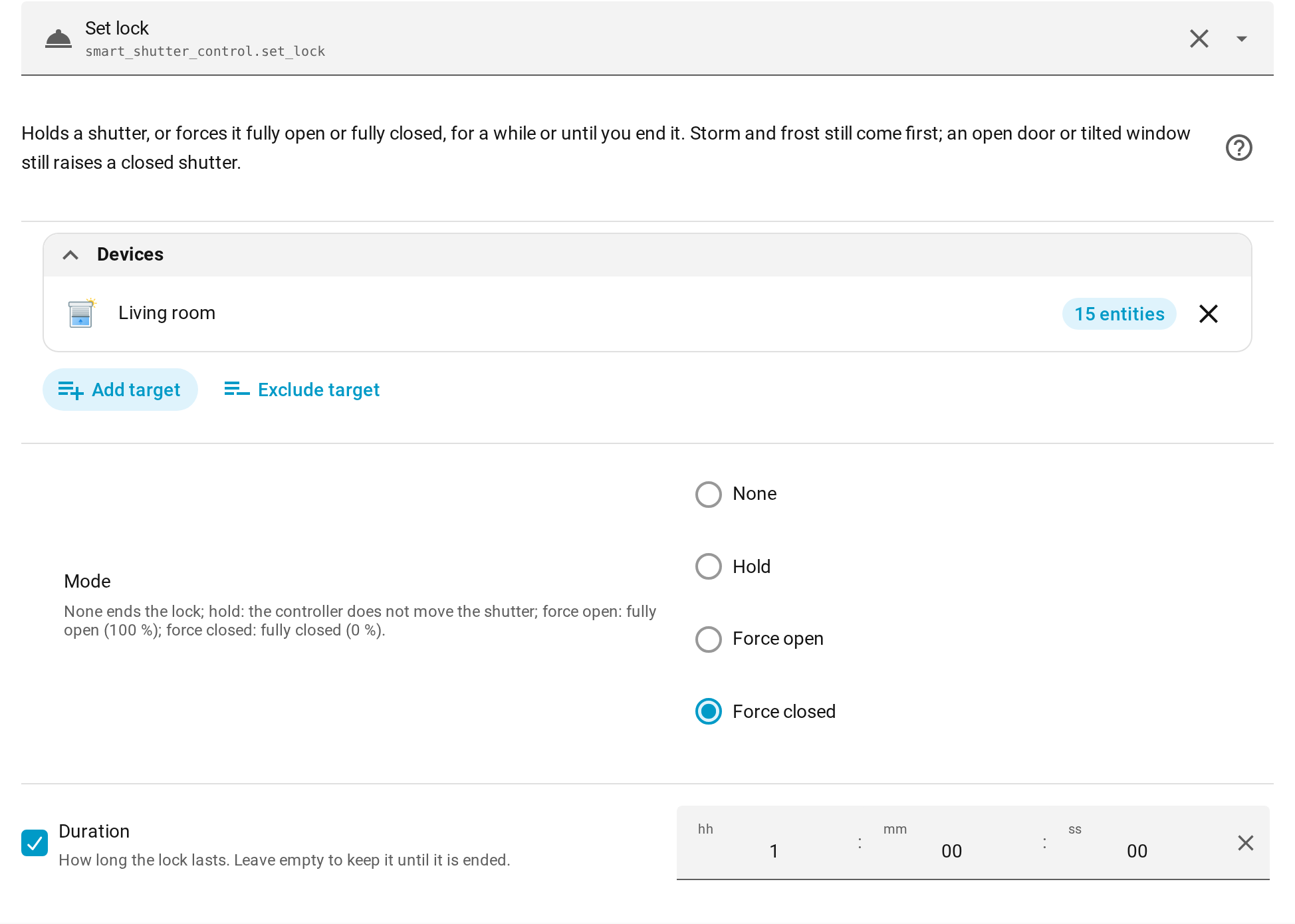
Locks one or more shutters: the controller holds them, or forces them fully open or fully closed, for a while or until you end the lock. How a lock ranks among the rules, and how it ends, is in How it works.
The select Lock on each shutter's device page (see Entities) sets the same modes without a duration.
| Field | Required | Meaning |
|---|---|---|
| target | yes | one or more shutter devices of the integration (the devices of the shutters, not the base controller) |
mode |
yes | none ends the lock; hold: the controller does not move the shutter; force_open: fully open (100 %, also above the Maximum position); force_closed: fully closed (0 %) |
duration |
no | how long the lock lasts. Without it the lock lasts until it is ended |
A new lock on a locked shutter replaces the old one. A device that is not a shutter of the integration gives an error, and then no shutter is locked. The select Lock of each shutter shows the lock and sets one without a duration (see Entities).
The duration is a time such as "02:00:00" (two hours) or "00:30:00" (half an hour). Example: a hold of
"01:00:00" set at 13:00 keeps cover.living_room where it is until 14:00; then it moves to what the rules
want at that moment. Lock durations survive a restart.
Hail warning: close for two hours
automation:
  - alias: "Shutters closed on a hail warning"
    triggers:
      - trigger: state
        entity_id: binary_sensor.hail_warning
        to: "on"
    actions:
      - action: smart_shutter_control.set_lock
        target:
          device_id:
            - 0a1b2c3d4e5f60718293a4b5c6d7e8f9 # Living room shutter
            - 9f8e7d6c5b4a39281706f5e4d3c2b1a0 # Bedroom shutter
        data:
          mode: force_closed
          duration: "02:00:00"
Washing windows: open until you are done
script:
  windows_open:
    alias: "Shutters open for washing windows"
    sequence:
      - action: smart_shutter_control.set_lock
        target:
          device_id: 0a1b2c3d4e5f60718293a4b5c6d7e8f9 # Living room shutter
        data:
          mode: force_open

  windows_done:
    alias: "Washing windows done"
    sequence:
      - action: smart_shutter_control.set_lock
        target:
          device_id: 0a1b2c3d4e5f60718293a4b5c6d7e8f9
        data:
          mode: none
Use the target picker in the automation editor to choose the devices; it only offers shutters of this
integration. The device ids above are made up. The shutter of cover.living_room can also be locked with
select.select_option on its Lock entity, with force_open and, to end it, none.